How Can You Design a Better Home Office Workspace?
You sit down at your home office desk, coffee’s hot. The to-do list is ready. But something feels… off.
Maybe it’s the glare hitting your screen. Or that crick in your neck that shows up every afternoon. Perhaps you’re just tired of working from a space that feels more “temporary storage” than “place where good work happens.”
I’ve been there. Three apartments ago, my “home office workspace” was a folding tray table in a hallway. Now? I actually look forward to sitting down in the morning. The transformation didn’t happen overnight, and it definitely didn’t require a massive budget or an interior design degree.
What it took was understanding how space actually affects focus, energy, and, let’s be honest, whether you end the day feeling accomplished or just exhausted.
This guide isn’t about chasing Pinterest perfection. It’s about building a home office workspace that works with you, not against you. Whether you’re carving out a corner in a studio apartment or finally converting that spare bedroom, here’s how to create something functional, cohesive, and genuinely pleasant to use.
Contents
- 1 Why Your Current Setup Might Be Working Against You
- 2 Start With the Foundation: Your Desk and Layout
- 3 The Chair: Where You’ll Spend 2,000 Hours This Year
- 4 Lighting: The Mood and Energy Controller
- 5 Taming the Cable Chaos
- 6 Building Visual Cohesion (Without Buying Everything New)
- 7 Monitor Setup: Your Window to Everything
- 8 Sound and Acoustics: The Invisible Factor
- 9 Storage That Actually Works
- 10 The Daily Reset Ritual
- 11 When to Invest, When to Improvise
- 12 Bringing It All Together
Why Your Current Setup Might Be Working Against You
Before we talk solutions, let’s diagnose the problem.
Most people don’t realize how much their environment impacts their output until they fix it. You might blame afternoon fatigue on lunch or motivation, when really, it’s poor lighting and a chair that puts your spine in a question mark shape.
Common workspace friction points:
- Visual chaos pulls attention constantly. Every item in your peripheral vision is a micro-distraction.
- Physical discomfort builds slowly. By 3 PM, you’re shifting every five minutes, breaking concentration.
- Poor lighting strains eyes and disrupts natural energy rhythms.
- Cluttered surfaces make starting tasks feel heavier than they should.
The good news? These are fixable. And most fixes cost less than a week’s worth of coffee shop visits.
Start With the Foundation: Your Desk and Layout
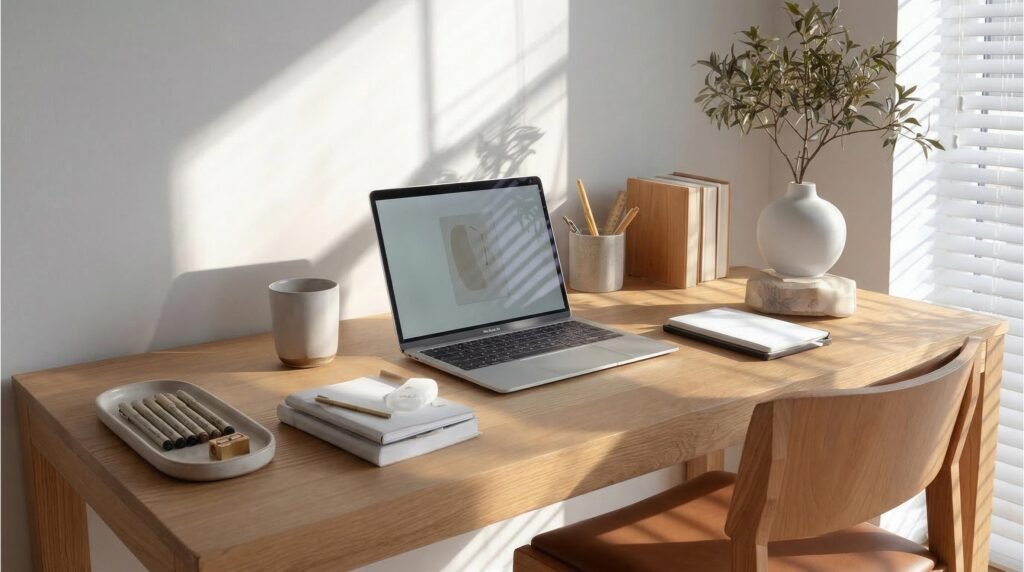
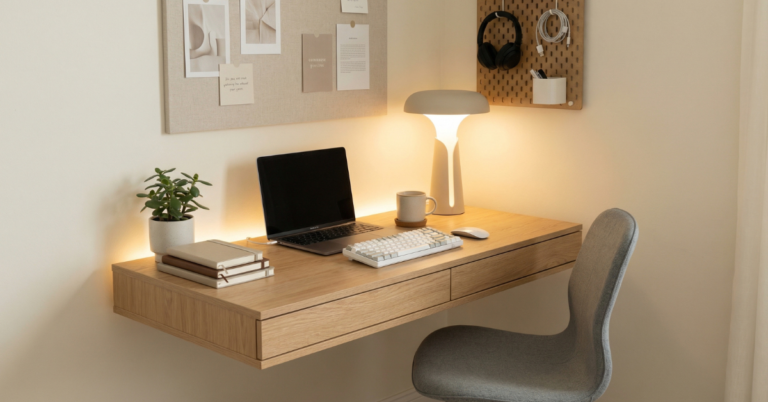
A simple, well-lit foundation beats elaborate setups every time.
Here’s the truth nobody tells you: you don’t need a massive desk to build an effective home office workspace. You need a right-sized desk.
Size matters, but not how you think.
A desk too small leaves you stacking papers like Jenga blocks. Too large, and you end up with dead zones that collect random objects. For most people, 48 to 60 inches wide hits the sweet spot. It accommodates a monitor, keyboard, and a notebook without encouraging sprawl.
Depth is underrated.
Standard 24-inch depth works for laptops. But if you’re using an external monitor, aim for 30 inches. This creates breathing room between your eyes and the screen, and gives you space to position a keyboard at the proper distance.
Positioning your desk matters more than the desk itself.
Place it perpendicular to windows if possible. Direct sunlight behind your screen creates glare; sunlight in your eyes creates squinting. Side-lighting gives you natural brightness without the battle.
If you’re stuck against a wall (most of us are), angle a desk lamp to bounce light off the wall rather than hitting your face directly. Softer, more even, less headache-inducing.
Working with limited space?
Wall-mounted drop-leaf desks save floor space. Console tables work in narrow areas. Even a solid door atop two filing cabinets creates a custom surface for under $150. Your home office workspace doesn’t need to be conventional, it needs to be yours.
🛠️ Ready to Upgrade Your Desk?
Stop working from the kitchen table. The FlexiSpot E7 Standing Desk gives you 48-72 inches of solid workspace, memory height presets, and the stability you need for dual monitors. I’ve been using mine for two years—no wobble, no regrets.
The Chair: Where You’ll Spend 2,000 Hours This Year
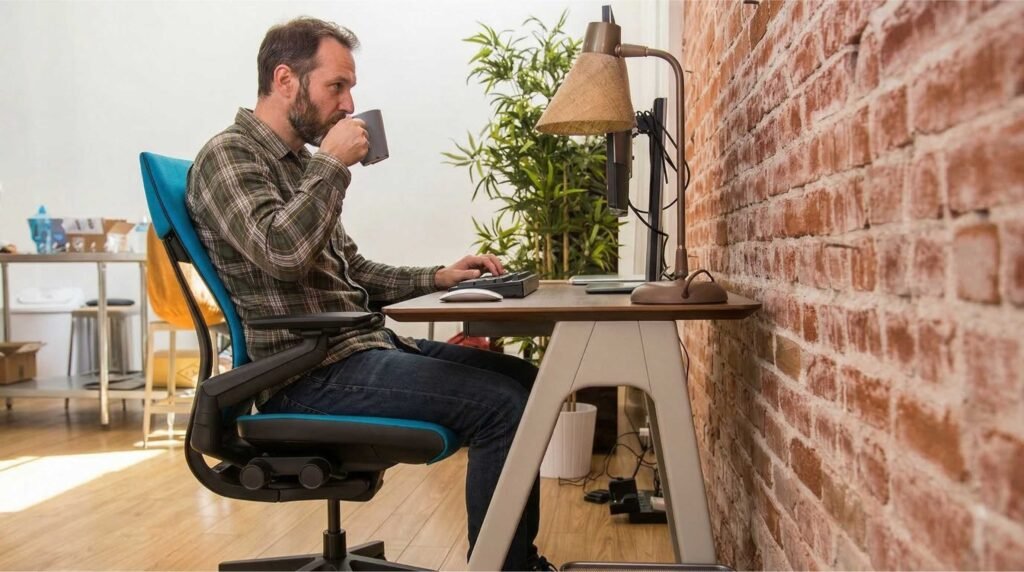
Your chair is the single most important investment in your workspace.
Let’s talk about the piece of furniture you’ll touch more than your bed.
A bad chair doesn’t just hurt your back. It restricts blood flow, compresses your lungs (shallow breathing = less oxygen to your brain), and creates tension that migrates to your shoulders and jaw. By Friday, you’re carrying a week’s worth of physical stress.
What to look for without breaking the bank:
- Adjustable seat height—feet flat, knees at 90 degrees, thighs parallel to floor
- Lumbar support—natural curve support, not a pillow smashed behind you
- Seat depth adjustment—2-3 fingers of space between seat edge and your knees
- Armrests that go low enough—or flip out of the way entirely
You don’t need to spend $1,000. Brands like HON, Branch, and even some IKEA options ($200-400 range) hit these marks. Check Facebook Marketplace or office liquidators, quality chairs depreciate fast but last forever.
The “ergonomic” label is often marketing.
A chair can have seventeen levers and still fit you wrong. Sit in it. Adjust everything. Your hips should feel supported, not squeezed. Your shoulders should relax, not hike up.
Here’s the hack most people miss:
Even the perfect chair needs breaking up. Set a timer for 50 minutes. Stand, stretch, walk to get water. Your home office workspace should support movement, not chain you to a seat.
💺 Your Back Deserves Better
The HON Ignition 2.0 hits the sweet spot of adjustability and price. After testing six chairs under $500, this is the one that actually supported my lower back without forcing me into a rigid position. The seat depth adjustment alone is worth it.
See Why It’s Wirecutter’s Top Pick
Lighting: The Mood and Energy Controller
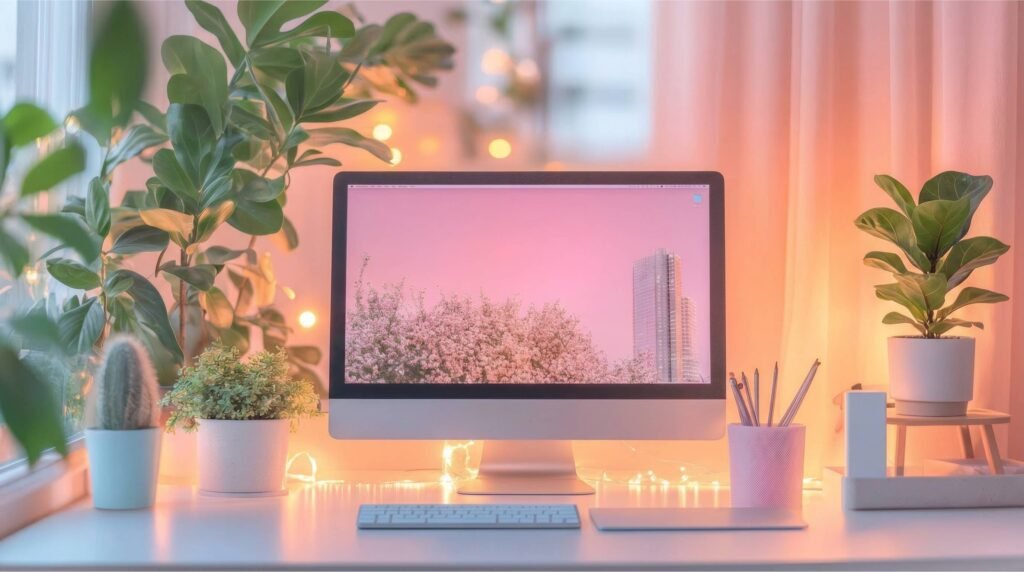
Layered lighting transforms how a space feels and functions.
Natural light is ideal. It’s also not always available.
When I moved into my current place, my desk faced a brick wall. No windows. The overhead light was a harsh ceiling fixture that made everything feel like a hospital corridor. Productivity tanked. Eye strain headaches became routine.
The solution is layering.
Ambient light fills the room. If your overhead light is harsh, try a floor lamp with a warm bulb (2700K-3000K) aimed at the ceiling. Bounced light is gentle light.
Task light focuses on your work surface. A desk lamp with adjustable brightness and color temperature gives you control. Cooler light (4000K-5000K) in the morning boosts alertness. Warmer light (2700K) in late afternoon signals wind-down.
Accent light adds depth. A small lamp on a bookshelf. LED strips behind your monitor (bias lighting) reduce eye strain by balancing brightness levels. These aren’t frivolous, they’re functional tools that happen to look good.
Avoid these common mistakes:
- Positioning your only light source behind your screen (creates contrast strain)
- Using only overhead lighting (creates shadows and flatness)
- Ignoring color temperature (affects circadian rhythms and energy)
Your home office workspace lighting should change with the day, just like natural light does. Smart bulbs make this automatic, but manual switching works fine too.
💡 Fix Your Lighting Today
The BenQ ScreenBar Plus clips to your monitor and lights your desk without screen glare. No desk space wasted, no eye strain, and the dial control lets you adjust brightness without opening software. Game changer for evening work sessions.
Taming the Cable Chaos
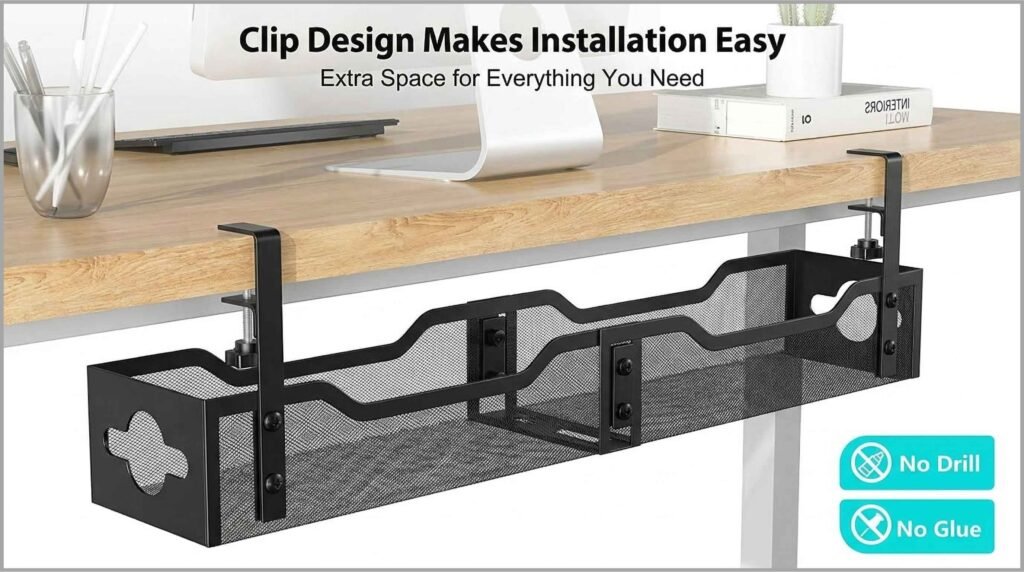
Hidden cables make every setup look intentional.
Nothing screams “temporary setup” like a Medusa’s head of cables snaking across your desk and floor.
Cable management isn’t about being obsessive. It’s about removing visual noise. Every cable is a thread pulling your attention away from work.
Start with the power source.
A surge protector mounted under your desk (not on the floor) becomes your central hub. From there, cables travel up the desk leg, not across your feet.
For the desk surface:
- Cable clips stick to the back edge, holding charger cords in place
- A cable tray under the desk hides power bricks and excess length
- Velcro straps bundle related cords (monitor, laptop charger, etc.)
The monitor cable problem:
If you’re using a laptop with an external monitor, you’ve got at least three cables minimum. A monitor arm with integrated cable routing hides these completely. Suddenly your desk looks like a photo shoot, not a server room.
The wireless trade-off:
Wireless keyboards and mice eliminate two cables immediately. Yes, they need charging or batteries. For me, the clean look is worth a monthly battery swap. Your home office workspace will feel instantly more intentional with fewer wires.
One realistic note:
Perfect cable management is a journey, not a destination. You’ll add devices. You’ll rearrange. Aim for “significantly better” rather than “magazine perfect.”
🔌 Clean Cables in 20 Minutes
The J Channel Cable Raceway Kit mounts under your desk in minutes—no drilling needed. I installed mine during a lunch break and finally stopped kicking power strips. Includes adhesive strips that actually hold, plus screws for permanent mounting.
Building Visual Cohesion (Without Buying Everything New)
Here’s where personality enters the picture.
A cohesive home office workspace isn’t about matching furniture sets from a catalog. It’s about intentional choices that create harmony.
Start with a limited palette.
Pick two main colors and one accent. Maybe warm wood tones, white, and a touch of green from plants. Or charcoal, cream, and brass accents. When everything relates, the space feels designed rather than accumulated.
Materials matter more than colors.
Mixing too many materials creates visual static. If your desk is warm oak, maybe your accessories lean toward ceramic, linen, or brass rather than stark black plastic. Cohesion comes from texture relationships.
The “one in, one out” rule:
Before adding anything new, a lamp, a pen holder, or a plant, consider what might leave. Space is part of the design. Breathing room between objects makes each one more impactful.
Personal items need curation.
Family photos, souvenirs, inspirational quotes. These make a space yours. But too many become clutter. Choose three to five meaningful items. Rotate them seasonally if you have more. Your home office workspace should reflect you, not display your entire life story.
Plants are the ultimate upgrade.
A single healthy plant does more for a space than any decorative object. It adds life, improves air quality slightly, and gives your eyes a resting point away from screens. Start with a pothos or snake plant, nearly unkillable, surprisingly beautiful.
Monitor Setup: Your Window to Everything
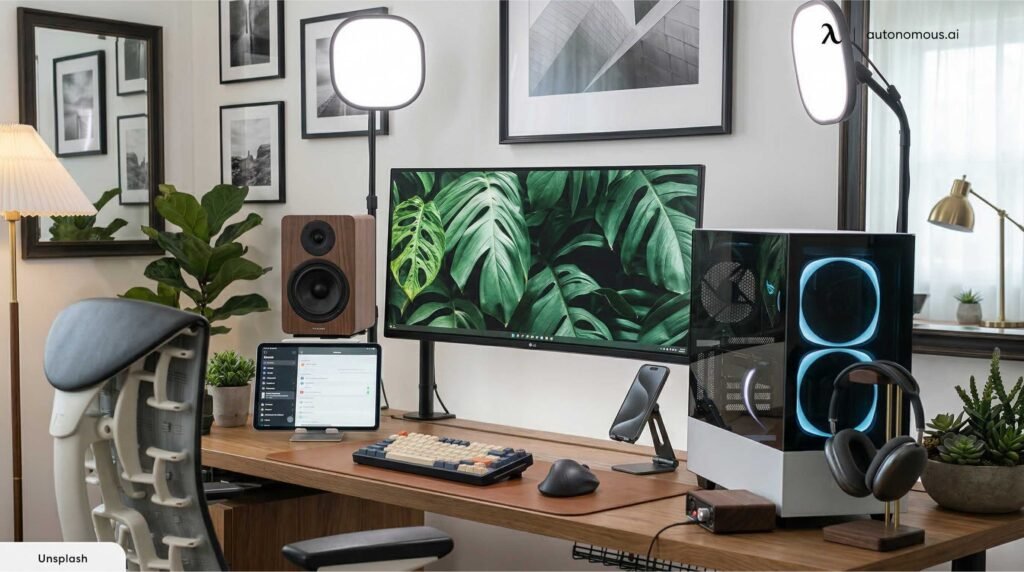
Screen positioning affects your posture more than your chair does.
If you use an external monitor (and you should, if you spend 4+ hours daily at your desk), placement is critical.
Height: The top of your screen should sit at or slightly below eye level. Most people place monitors too low, forcing their neck into a downward tilt that compounds over hours.
Distance: An arm’s length away, roughly 20-26 inches. Closer causes eye strain. Further makes you lean forward.
Angle: Tilted back 10-20 degrees. This matches your natural downward gaze when looking straight ahead.
The laptop + monitor dilemma:
Using a laptop as a secondary screen below your main monitor seems efficient. It’s also a neck killer. If you use both, invest in a laptop stand to bring it to eye level, with an external keyboard and mouse below. Your home office workspace ergonomics depend on this separation.
Dual monitors:
Place your primary monitor directly in front of you, secondary to the side at a slight angle. Don’t split the difference, your neck will thank you. If you use both equally, consider an ultrawide monitor instead. No bezel gap, smoother workflow.
Blue light and brightness:
Match your screen brightness to your ambient light. A bright screen in a dim room is exhausting. Most operating systems now have night modes that shift colors warmer in evening hours. Use them. Your sleep quality will improve.
🖥️ Stop Looking Down at Your Laptop
The Rain Design mStand elevates your laptop to eye level and actually stays put. Aluminum construction matches MacBooks but works with any laptop. The cable hole keeps charging cords tidy. Pair it with any external keyboard and your neck tension disappears.
Sound and Acoustics: The Invisible Factor
We think about how spaces look, rarely about how they sound.
Hard surfaces—desks, monitors, windows, bare walls, create echo. In video calls, you sound distant. For concentration, every noise bounces and amplifies.
Simple acoustic improvements:
- A rug under your desk absorbs floor reflection
- Soft items, curtains, upholstered chairs, fabric bulletin boards, break up hard planes
- A small bookshelf with varied object depths diffuses sound waves
For focus work:
Noise-canceling headphones are transformative. But don’t play music with lyrics during complex tasks, your brain processes language even when you’re not listening. Instrumental, ambient, or nature sounds maintain focus better.
For video calls:
Position yourself away from hard, reflective surfaces. A wall behind you is better than a window (backlighting). If your space is echoey, a small tapestry or acoustic panel behind your camera position improves audio quality significantly.
Your home office workspace isn’t just visual, it’s a full sensory environment.
🎧 Silence the Distractions
Sony WH-1000XM5 headphones cut office noise (or roommate noise) better than anything I’ve tried. The comfort means I can wear them for 4-hour focus sessions without ear fatigue. Expensive, but cost-per-use makes them the best investment in my productivity stack.
Storage That Actually Works
Most desk clutter comes from not knowing where things go.
Every item needs a designated home. Not “somewhere on the desk.” A specific spot. When you finish using something, you shouldn’t have to think about where to put it.
Vertical storage wins.
Desk drawers fill with mystery items you forgot existed. Wall-mounted shelves, pegboards, or magnetic strips keep tools visible and accessible. If you can’t see it, you won’t use it—or you’ll buy duplicates.
The “active” vs. “archive” distinction:
Active files, current notebooks, daily tools stay within arm’s reach. Completed projects, reference materials, backup supplies live elsewhere. Your immediate home office workspace should hold only what you need today.
Digital storage matters too.
A cluttered desktop screen creates the same mental load as a cluttered physical desk. Create a filing system. Archive old projects. A clean digital space supports a clean physical one.
The Daily Reset Ritual
Here’s the secret that keeps a workspace functional long-term: five minutes at the end of each day.
Clear the coffee cups. Straighten the papers. Wipe the desk surface. Return everything to its designated home.
This isn’t about perfection. It’s about starting tomorrow without yesterday’s mess. A reset home office workspace signals to your brain that work is complete, helping you actually disconnect in the evening.
Plus, there’s genuine pleasure in sitting down to a clean slate each morning. It feels like possibility rather than obligation.
When to Invest, When to Improvise
Not every upgrade requires spending money.
Improvise first:
- Use books to raise your monitor before buying a stand
- Repurpose kitchen containers for desk organization
- Move existing furniture rather than buying new
Invest strategically:
- The chair (affects your body daily)
- Lighting (affects your energy and eyes)
- Monitor positioning (affects your posture)
Everything else can evolve. Your home office workspace should grow with your needs, not require a complete overhaul every year.
Bringing It All Together
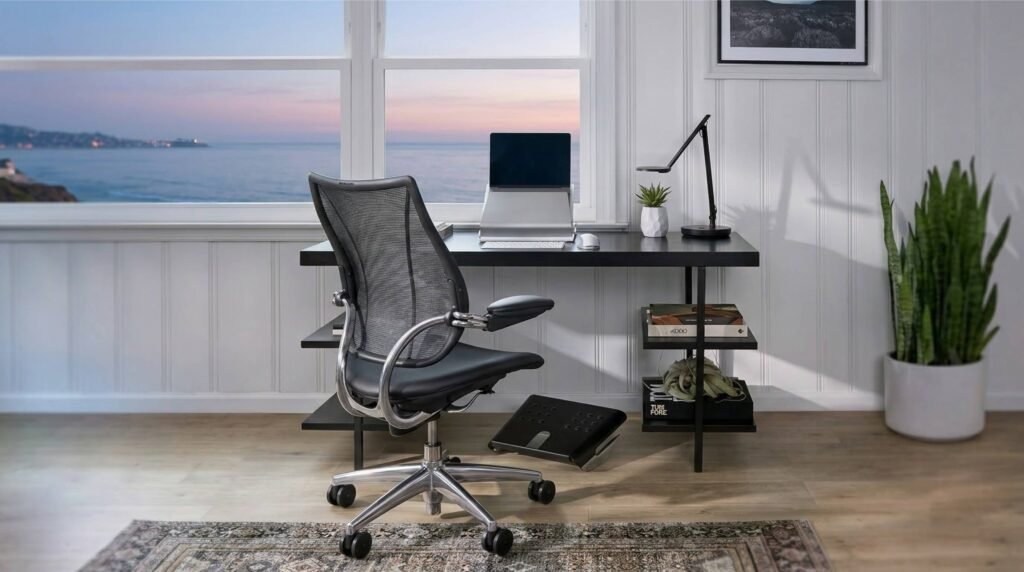
The best workspaces balance function, comfort, and personal style.
Designing a better home office workspace isn’t about achieving a final, perfect state. It’s about building a relationship with your environment, understanding what supports your work and what hinders it.
Start with one change. Maybe it’s adjusting your monitor height. Maybe it’s adding a desk lamp. Or maybe it’s just clearing the surface completely and starting fresh.
Notice how that change affects your energy, your focus, your end-of-day satisfaction. Then make another adjustment. Over weeks and months, you’ll develop a space that genuinely works for you.
The goal isn’t a setup that looks impressive in photos. It’s a space where you can do your best work without fighting your surroundings. Where comfort supports productivity instead of undermining it. Where you actually want to spend time.
Your home office workspace is where ideas become projects, where focus becomes output, where remote work becomes sustainable career. Design it with intention. Use it with respect. Adjust it as you grow.
The best workspace isn’t the one with the most expensive equipment or the trendiest aesthetic. It’s the one that disappears—becoming so natural, so supportive, that you forget about the space entirely and just do the work.
Start today. Start small. But start.
What’s the biggest friction point in your current setup? Sometimes identifying the problem is harder than fixing it. Take a photo of your desk right now, what’s the first thing your eye goes to that feels wrong? That’s your starting point.