
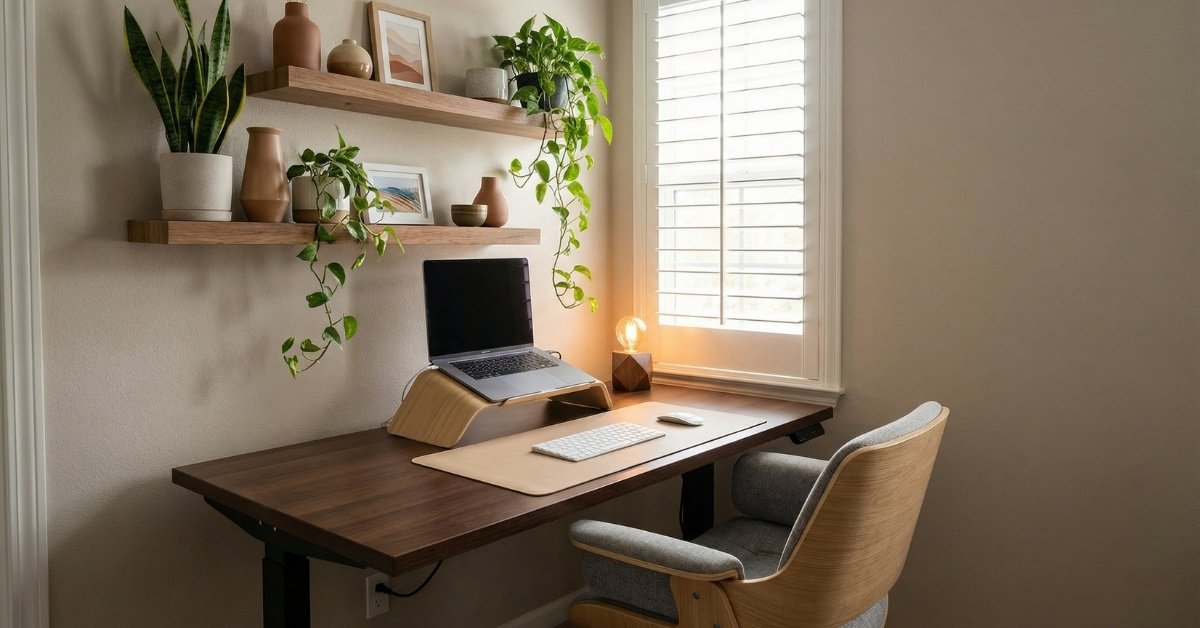
Perfect Aesthetic Desk Setup: What Do You Need? – Ultimate Guide
If you’re hunting for aesthetic desk setup inspiration on Pinterest, you’ve probably stared at those pristine photos and wondered: ‘Why doesn’t my workspace look like that?’
I get it. Three years ago, my attempt at an aesthetic desk setup was just a folding table in the corner of my bedroom, cluttered with coffee cups, tangled charging cables, and that one stack of papers I kept meaning to file. It worked. But it didn’t feel good.
Here’s the thing about building an aesthetic desk setup, it’s not about copying what looks good in photos. It’s about creating a space that actually functions for your life while looking cohesive and intentional.
This guide breaks down exactly what you need, why you need it, and how to pull it together without spending a fortune or losing your mind in the process.
Contents
- 1 Why Your Current Setup Isn’t Working (And It’s Not Your Fault)
- 2 Starting With the Foundation: Your Desk Surface
- 3 The Chair: Where You’ll Spend 8 Hours a Day
- 4 Lighting in Aesthetic Desk Setup: The Most Underrated Element
- 5 Taming the Cable Chaos
- 6 The Monitor Situation: Size, Height, and Placement
- 7 Personalizing Without Cluttering
- 8 Color Coordination Without Being Boring
- 9 Storage That Doesn’t Look Like Storage
- 10 Sound and Acoustics: The Forgotten Sense
- 11 The Morning Routine That Maintains Your Setup
- 12 Common Mistakes That Ruin Aesthetic Desk Setups
- 13 Building Gradually: You Don’t Need Everything at Once
- 14 When to Stop Tweaking
- 15 Final Thoughts: Comfort First, Trends Last
Why Your Current Setup Isn’t Working (And It’s Not Your Fault)
Most of us inherit our workspaces rather than design them. Maybe you grabbed the spare desk from the garage when you started working from home. Maybe you’re using the same corner you’ve had since college. The problem isn’t that you’re unorganized—it’s that nobody taught us how to build a workspace that supports both productivity and wellbeing.
The real issue? We focus on individual items instead of the system.
You buy a cute lamp, but it clashes with your chair, get a monitor stand, but now your cables are hanging everywhere. You add a plant, but it blocks your natural light. An aesthetic desk setup requires thinking about how pieces work together, not just how they look alone.
Let’s fix that.
Starting With the Foundation: Your Desk Surface
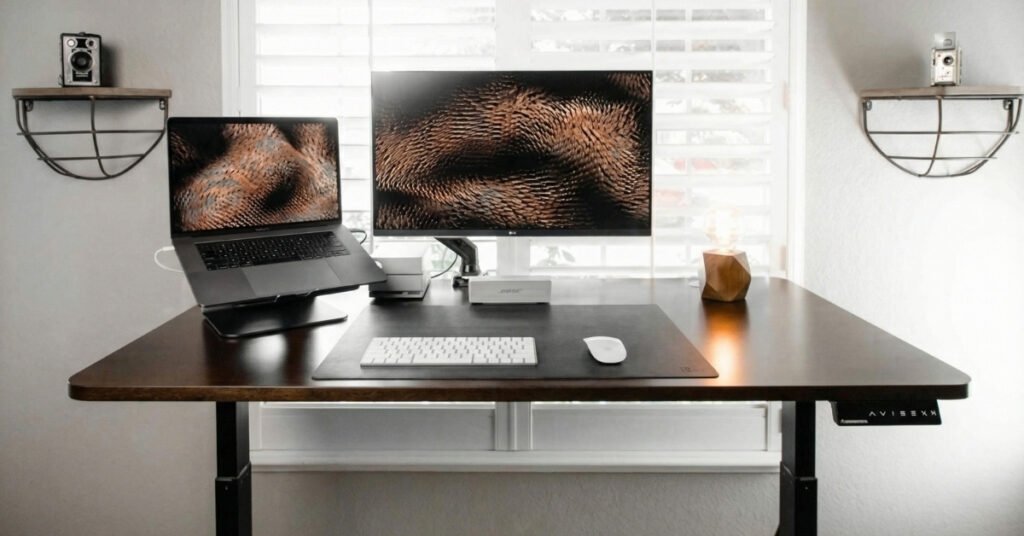
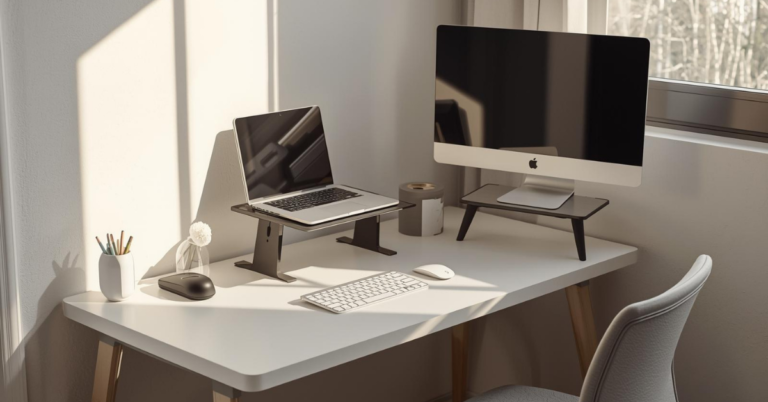
A clean, minimal foundation gives you room to breathe and build.
Before you buy anything decorative, you need to address your actual desk. This is your canvas, and it determines everything else.
Size matters more than style. I’ve seen people cram dual monitors onto a 40-inch desk and wonder why they feel cramped. Measure your space first. You want at least 24 inches of depth (front to back) and enough width to accommodate your gear plus 12 inches of breathing room on your dominant side.
Material affects both aesthetics and function. Solid wood looks warm and develops character over time, but it’s heavy and expensive. Laminate is affordable and easy to clean, though it can look cheap if you go too glossy. Metal frames with wood tops strike a nice balance, modern but not cold.
Height is where most people go wrong. Standard desk height is 29-30 inches, which works if you’re exactly 5’10” with average proportions. For everyone else, it’s a compromise. If your elbows don’t rest at 90 degrees when seated, you’ll end up with shoulder and wrist pain within months.
Consider a sit-stand desk if your budget allows. Not because standing all day is healthier (it’s not), but because having the option to change positions keeps your body from locking up. Even the ability to lower your desk for focused work and raise it for calls can change how you feel by 5 PM.
Pick the Right Desk Surface
Your desk is the foundation of your setup. Invest in a durable, clean, and minimalist surface that fits your space. Add smart storage to keep essentials close at hand.
The Chair: Where You’ll Spend 8 Hours a Day
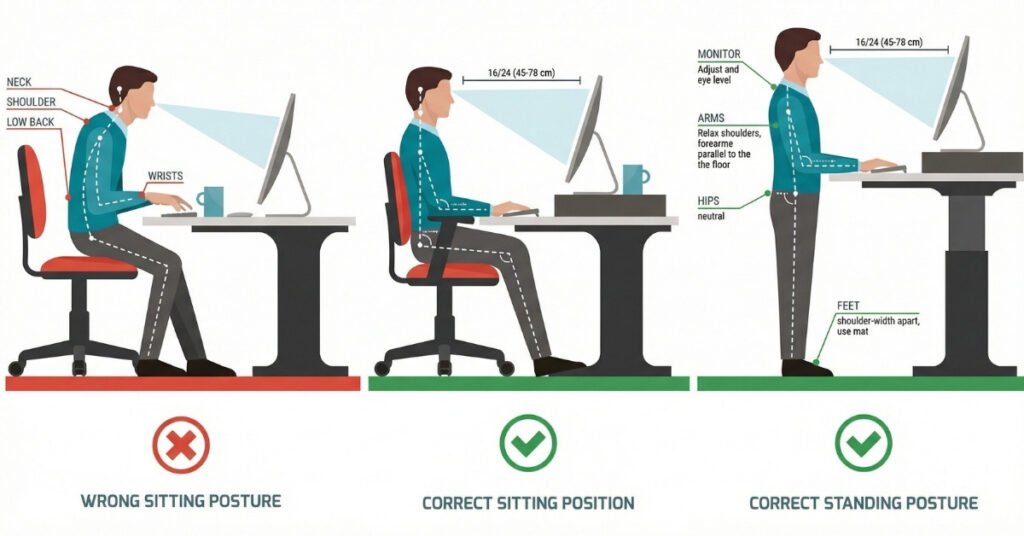
Your chair determines your posture, which determines your energy levels.
I used to think any chair was fine as long as it had wheels. Then I developed lower back pain that made it hard to concentrate on anything except how uncomfortable I was. Don’t be me.
The non-negotiables for an ergonomic desk setup:
- Adjustable lumbar support – Your lower back has a natural curve. The chair should support it, not force it flat.
- Seat depth adjustment – You need 2-3 inches between the back of your knees and the seat edge to maintain circulation.
- Armrests that move – Fixed armrests are almost never at the right height. Look for ones that adjust up/down and in/out.
- Breathable material – Mesh backs prevent the sweaty-back situation that leather and foam create during long sessions.
Aesthetic considerations: Black mesh looks professional but can feel corporate. Fabric upholstery comes in colors that warm up a space. If you want that Scandinavian vibe, light wood accents on a white or gray frame hit the mark without sacrificing ergonomics.
Budget reality check: You can find decent chairs for $200-300, but the $500-800 range is where you get features that actually last. If that’s steep, check Facebook Marketplace for used Herman Miller or Steelcase chairs. They’re built to survive office environments for a decade.
Sit in Comfort
Don’t compromise on your chair. Choose an ergonomic seat that supports long hours without strain. Your back and focus will thank you.
Lighting in Aesthetic Desk Setup: The Most Underrated Element
Here’s something I learned the hard way: overhead lighting is not your friend. It creates harsh shadows, causes screen glare, and makes you look terrible on video calls.
Your aesthetic desk setup needs three types of light:
1. Natural light (if possible): Position your desk perpendicular to windows, not facing them directly. Direct sunlight creates glare and washes out your screen. Side lighting gives you even illumination without the squinting.
2. Ambient light: This fills the room so you’re not working in a cave. A floor lamp in the corner or wall sconces work better than ceiling fixtures because they bounce light off walls rather than blasting it down.
3. Task lighting: A desk lamp focused on your work surface reduces eye strain. Look for adjustable arms and warm color temperatures (2700K-3000K). Cool white light (5000K+) keeps you alert but feels clinical. Mix both, cool for morning focus, warm for afternoon creativity.
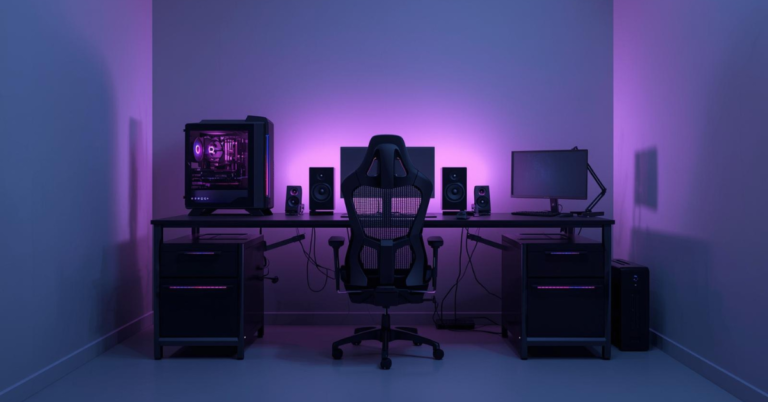
Pro tip: The “cozy desk setup” look everyone loves? It’s usually achieved with multiple light sources at different heights rather than one bright overhead fixture. String lights behind your monitor, a small lamp on a side shelf, and natural window light create depth that a single bulb can’t match.
Taming the Cable Chaos
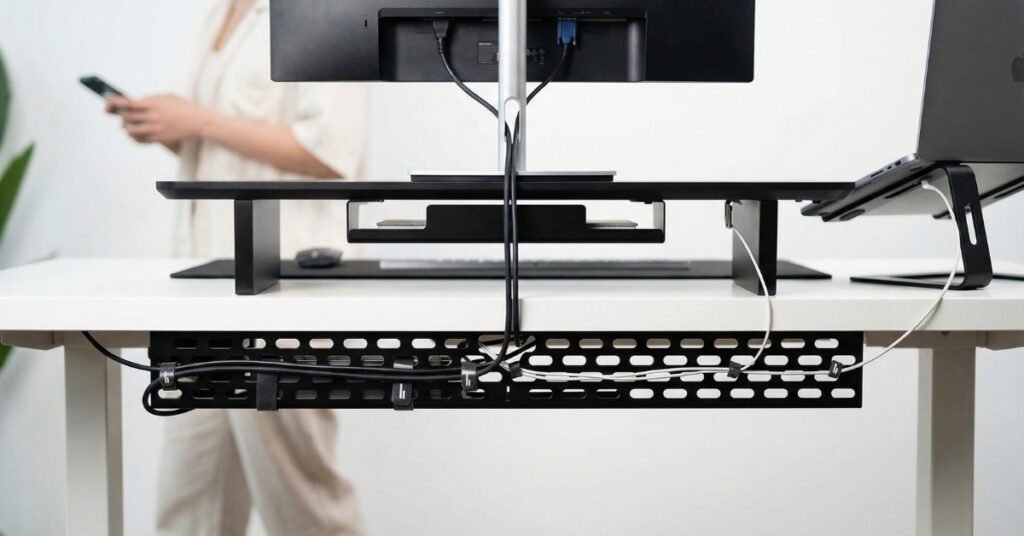
Hidden cables make everything feel more intentional and less chaotic.
Nothing ruins an aesthetic desk setup faster than a nest of black cables snaking across your surface. The good news: this is fixable with about $30 and 30 minutes of effort.
The cable management hierarchy:
Level 1: Under-desk trays These mount beneath your surface and hold power strips, adapters, and excess cord length. Everything drops down instead of hanging off the back.
Level 2: Cable sleeves Fabric or plastic tubes that bundle multiple cords into one clean line. Run them along the back legs of your desk or down the wall.
Level 3: Adhesive cable clips These stick to the underside of your desk and hold individual cables in place. Use them to create routes that keep cords from dangling where you can see them.
Level 4: Wireless everything Every cable you eliminate is one less to manage. Wireless keyboard, mouse, and headphones make a huge visual difference. Yes, you’ll charge them occasionally, but swapping batteries every few weeks beats looking at wires every day.
The wireless charging pad trick: Instead of having a phone cable on your desk, get a slim charging pad that sits under your monitor riser. Your phone rests there naturally, stays charged, and you never see a cable.
Eliminate Cable Clutter
Hidden cables and smart organizers make your desk look clean and improve focus. Discover cable management solutions that are simple yet effective.
The Monitor Situation: Size, Height, and Placement
One monitor or two? If you’re coding, editing video, or doing research-heavy work, dual monitors boost productivity significantly. For writing, design work, or general productivity, one large monitor (27-32 inches) often feels less overwhelming.
Height is critical. The top of your screen should be at or slightly below eye level. Most people place monitors too low, which causes neck flexion and eventually pain. If you can’t adjust your monitor arm, stack it on books or a proper riser until it’s right.
Distance matters too. Sit an arm’s length away, about 20-28 inches. Closer causes eye strain; farther makes you lean forward.
The aesthetic angle: A monitor arm (the kind that clamps to your desk) looks cleaner than a stand because it eliminates the base footprint. It also gives you flexibility to push the screen back when you need desk space for writing or sketching.
Personalizing Without Cluttering
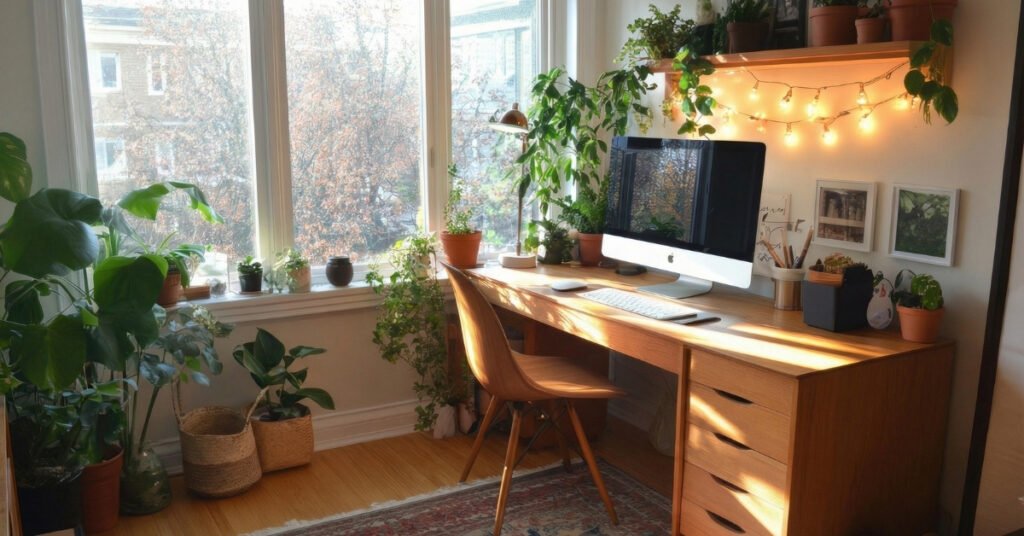
Plants and natural elements bring life to a workspace without adding visual noise.
This is where your aesthetic desk setup becomes yours. But restraint is key. Every item should earn its place.
The “one in, one out” rule: If you add something new, remove something old. This prevents the gradual accumulation of stuff that turns a clean desk into a junk pile.
Plants that actually survive:
- Snake plants tolerate low light and neglect
- Pothos trail beautifully from shelves and need water only when dry
- ZZ plants look sculptural and thrive in artificial light
- Small succulents work if you have bright light, but skip them if your space is dim
Personal items that add value:
- One framed photo or small art print
- A meaningful object that fits your color scheme
- A nice notebook and pen (even if you mostly type)
- A textured element like a small woven basket or ceramic dish
Avoid: Multiple competing colors, more than three “decorative” items on your surface, anything that doesn’t serve a function or spark genuine joy.
Style Your Desk Smartly
Decorate with purpose. Small plants, minimal accessories, and subtle accents make your desk feel personal without taking over your workspace.
Color Coordination Without Being Boring
You don’t need everything to match perfectly, but you do need a cohesive palette. The easiest approach is the 60-30-10 rule.
60% dominant color: Usually your desk, walls, and large furniture. Neutrals work best here, white, gray, beige, natural wood.
30% secondary color: Your chair, storage, and larger accessories. This could be black for contrast, navy for calm, or sage green for that organic feel.
10% accent color: Small items that pop. A burnt orange notebook, brass desk accessories, or a single colorful plant pot.
Texture counts as color. A matte black desk with glossy black accessories feels flat. Mix materials: wood grain, woven textiles, brushed metal, ceramic. The variation creates visual interest even in a monochrome scheme.
Storage That Doesn’t Look Like Storage
The secret to a clean aesthetic desk setup is having somewhere to put things that aren’t currently in use.
Desktop drawers: If your desk doesn’t have them, add a small unit underneath or beside it. Keep daily essentials here, pens, sticky notes, chargers.
Wall-mounted solutions: Floating shelves above your monitor hold books and decor without eating desk space. Pegboards work for tools you grab often, but keep them organized or they look messy.
The “invisible” storage trick: Use boxes and baskets in colors that blend with your walls. They hide clutter while maintaining your color scheme. A white desk with white storage boxes feels seamless; the same boxes in bright colors become visual noise.
Digital storage matters too. A clean desktop with organized folders reduces mental clutter. Spend 10 minutes every Friday closing tabs, filing documents, and clearing your downloads folder. The fresh start on Monday is worth it.
Sound and Acoustics: The Forgotten Sense
Hard surfaces reflect sound, which makes video calls echo and concentration difficult. If your cozy desk setup feels visually right but acoustically wrong, small changes help.
Rugs absorb sound and define your workspace area. Even a small rug under your chair reduces rolling noise and warms up the room visually.
Soft furnishings like curtains or upholstered panels on walls dampen echo. If you can’t modify walls, a fabric-covered pinboard behind your desk helps.
White noise masks distracting sounds. A small fan, a white noise app, or even a water feature creates consistent background sound that helps you focus.
The Morning Routine That Maintains Your Setup
Building the space is only half the battle. Keeping it functional requires habits.
The 2-minute evening reset: Before you finish work, clear your surface. Put pens back, stack papers, wipe down your desk. Starting fresh tomorrow takes almost no time but changes your mental state.
Weekly deeper clean: Friday afternoons, dust your monitor, clean your keyboard (turn it upside down and shake, you’ll be horrified), and water your plants. This prevents the gradual decline into chaos.
Monthly reassessment: Look at what’s accumulated. Are you using everything on your desk? Has something stopped sparking joy? Remove what doesn’t serve you anymore.
Common Mistakes That Ruin Aesthetic Desk Setups
Buying for looks first, function second: That vintage typewriter looks amazing until you realize you have nowhere to put your coffee. Test functionality before committing to layout changes.
Ignoring your dominant hand: If you’re right-handed, your mouse and notepad go on the right. Left-handers need the opposite. Seems obvious, but I’ve seen plenty of setups that ignore basic ergonomics for symmetry.
Over-lighting: More light isn’t always better. Multiple harsh sources create glare and headaches. Aim for soft, layered illumination instead.
Copying exactly: Your favorite creator’s setup works for their body, their workflow, their space. Adapt principles, not specifics. If you’re 5’2″, don’t use the same chair height as someone who’s 6’0″.
Forgetting about seasons: That sunny corner is perfect in winter but becomes a greenhouse in July. Have a plan for adjusting blinds, fan placement, or even desk position as light changes throughout the year.
Building Gradually: You Don’t Need Everything at Once
If you’re starting from scratch, the expense can feel overwhelming. Here’s a priority order that spreads costs over time:
Month 1: Desk and chair. These are your foundation. Don’t compromise here.
Month 2: Monitor and lighting. These affect your physical comfort immediately.
Month 3: Storage and cable management. These create the clean look you’re after.
Month 4: Accessories and personalization. Now that the bones are right, add character.
This approach means you’re never working with a completely broken setup, and you can adjust based on what you actually need once you’re using the space.
When to Stop Tweaking
Here’s the truth about aesthetic desk setups: they’re never “finished.” You’ll see a new lamp, a better chair, and a different layout. The goal isn’t perfection, it’s functionality that feels good.
Signs your setup is working are that you:
- Sit down and start working without adjusting ten things first
- Don’t think about your workspace during the day (it’s just there, supporting you)
- Feel calmer in your space than in other parts of your home
- Can find what you need without searching
If you hit those markers, resist the urge to keep changing things. The best ergonomic desk setup is one you stop noticing because it just works.
Final Thoughts: Comfort First, Trends Last
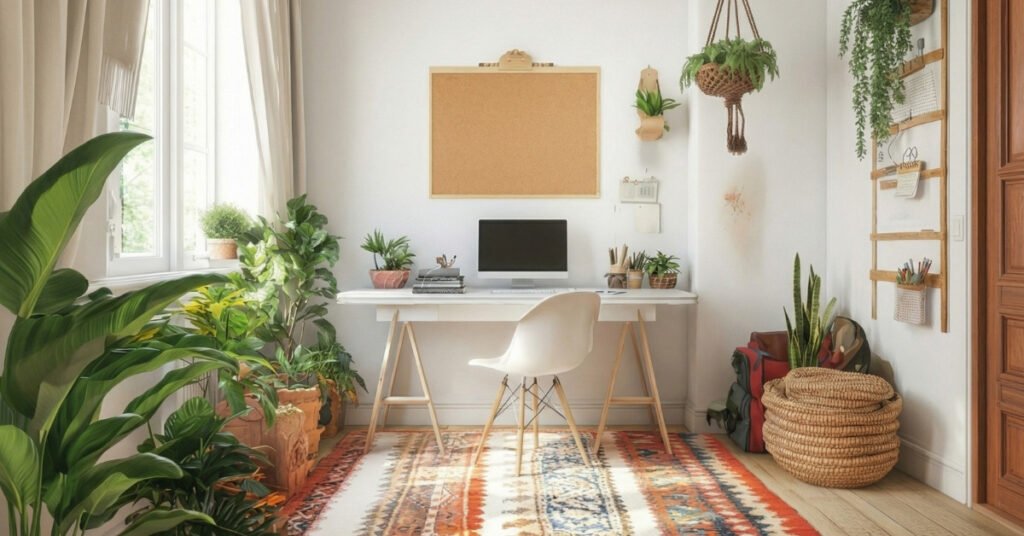
The best workspaces support your body and mind, regardless of what’s trending.
We’ve covered a lot: desks, chairs, lighting, cables, color, and storage. But here’s what matters most: your aesthetic desk setup should serve your actual life, not an Instagram ideal.
If you work best in a colorful, eclectic space, don’t force minimalism because it’s trending. If you need every tool within arm’s reach, don’t hide everything for the sake of a clean photo. And if your budget only allows for IKEA basics right now, that’s fine. Functionality beats aesthetics every time.
Start with what you have. Rearrange your existing furniture before buying new. Test different monitor heights with books before getting a riser. See how you actually use your space for a week before making permanent decisions.
Work with your constraints. Small room? Vertical storage and wall-mounted monitors save floor space. No natural light? Full-spectrum bulbs and mirrors can help. Rental with beige walls? That’s your neutral base, lean into it.
The perfect aesthetic desk setup isn’t the one that gets the most likes. It’s the one where you do your best work, feel comfortable in your body, and actually want to spend time. Build that, and the aesthetics will follow naturally.
What’s your biggest desk setup challenge right now? Whether it’s cable chaos, uncomfortable seating, or just not knowing where to start, focus on fixing one thing this week. Small improvements compound into spaces that truly work for you.
Ready to transform your workspace? Start with the foundation, your desk and chair, and build from there. Your future self will thank you when you’re not fighting your environment to get work done.
Create a Desk That Works for You
Focus on comfort and productivity first. Trendy additions can come later. Build a desk that keeps you inspired, organized, and efficient every day.
Want to See More Aesthetic Desk Setup Ideas?: Explore “Techzler’s Blog“

One Comment