Small Desk Setup: How to Maximize Space & Comfort?
Let’s be honest, working from a cramped desk sucks. If you’ve ever struggled with a Small Desk Setup, you know the feeling. Your elbows knock into the wall every time you reach for coffee. Papers creep toward the edge like they’re trying to escape. Your monitor sits so close you can practically count the pixels. And no matter how often you “organize,” the clutter somehow sneaks back by Wednesday.
I’ve been there. For two years, I worked from a 24-inch folding table wedged between my bed and a window that never quite opened. It was miserable. But here’s what I learned: a small desk setup doesn’t have to feel small. With the right approach, compact workspaces can actually outperform sprawling office suites.
The secret? Working with your constraints instead of fighting them.
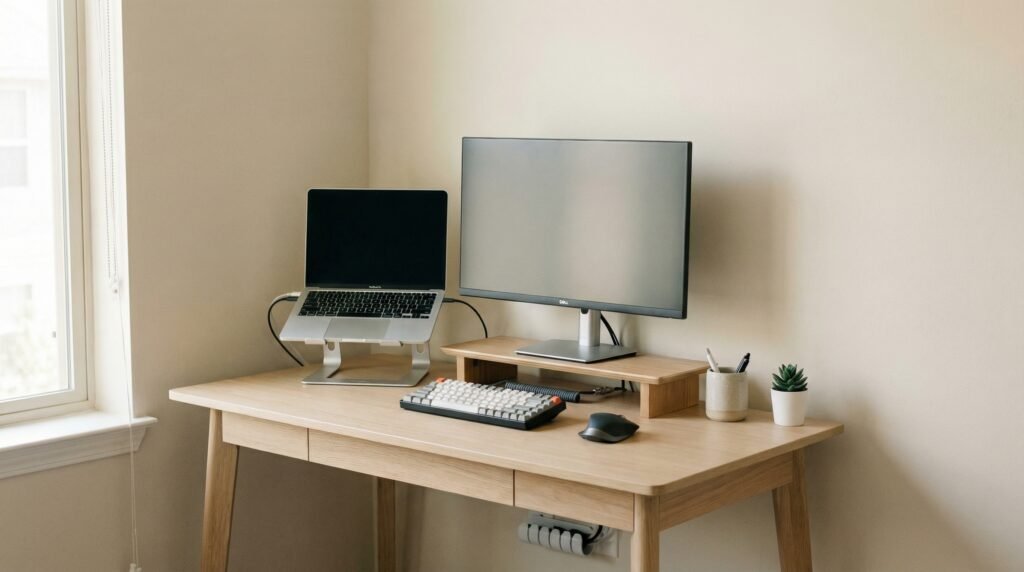
Most people fail at small desk organization because they bring big-desk thinking to tiny spaces. They buy oversized monitors, stack vertical organizers that topple over, and treat every square inch as storage instead of workspace. Then they wonder why they feel claustrophobic by noon.
This guide covers everything I wish I’d known from day one. We’ll walk through how to organize a small desk area that actually functions, explore space-saving desk accessories that earn their keep, and build an ergonomic desk setup that won’t wreck your back. No fluff, no $500 “miracle” gadgets—just practical fixes that work in real apartments and home offices.
If your current setup feels like working inside a filing cabinet, these desk upgrades remove distractions at the source.
Contents
- 1 Why Small Desk Setups Feel Cramped (It’s Not Just the Size)
- 2 Small Desk Setup Essentials That Actually Matter
- 3 How to Organize a Small Desk Without Clutter
- 4 Space-Saving Desk Accessories Worth Using
- 5 Ergonomic Tips for Comfort in Small Spaces
- 6 Common Small Desk Setup Mistakes to Avoid
- 7 Simple Upgrades That Make a Big Difference
- 8 Building Your Ideal Small Desk Setup: A Practical Summary
- 9 Conclusion: Comfort Is Built, Not Bought
Why Small Desk Setups Feel Cramped (It’s Not Just the Size)
Before fixing your space, you need to understand why it feels tight. The problem usually isn’t square footage, it’s how you’re using it.
The Visual Clutter Trap
Small spaces amplify mess. A coffee cup and notebook on a large desk disappear into the background. On a small desk setup, they become obstacles. Your brain constantly registers these items as “things to deal with,” creating low-grade stress that drains focus.
Research on environmental psychology confirms what you’ve felt: cluttered spaces elevate cortisol levels. In tight quarters, every item needs to justify its presence. Most don’t.
The Depth Problem
Standard desks run 30 inches deep. Many compact desks shave that to 20 or even 18 inches. That difference matters more than width.
With shallow depth, you can’t position a monitor at proper viewing distance (roughly arm’s length). You end up hunched forward, neck craned, shoulders rounded. Six months later, you’re explaining chronic tension to a physical therapist.
Poor Vertical Thinking
People treat small desks like two-dimensional surfaces. They forget about walls, undersides, and airspace above. This leaves massive storage potential untapped while precious surface area disappears under staplers and charging cables.
If your desk feels cramped, this is the easiest fix: start thinking in three dimensions.
Small Desk Setup Essentials That Actually Matter
Not everything marketed for “compact offices” deserves your money. After testing dozens of products in real 40-square-foot “offices,” here’s what earns permanent spots in my small desk setup recommendations.
The Monitor Arm (Non-Negotiable)
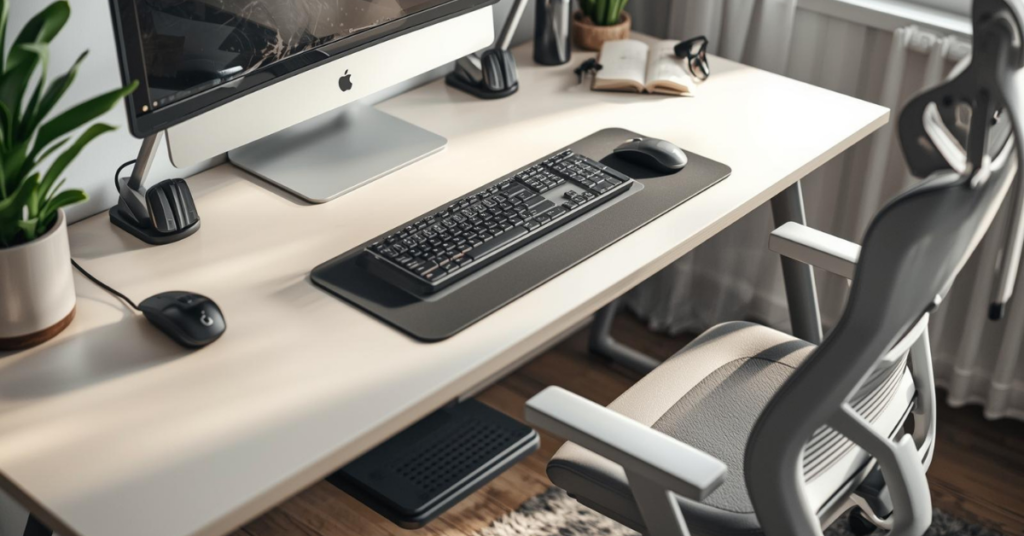
A monitor arm clamps to your desk edge and suspends your screen at any height, depth, or angle. It instantly reclaims 25-30% of your desktop surface.
More importantly, it enables proper ergonomics. You can pull the display to exactly arm’s length, raise it so your eyes hit the top third of the screen, and angle it to eliminate glare. Without this adjustment capability, you’re adapting to your equipment instead of the reverse.
Budget options start around $35. Premium hydraulic arms run $150+. The difference is smoothness and weight capacity, not core functionality. If your desk feels cramped, this is the easiest fix.
Compact Mechanical Keyboard
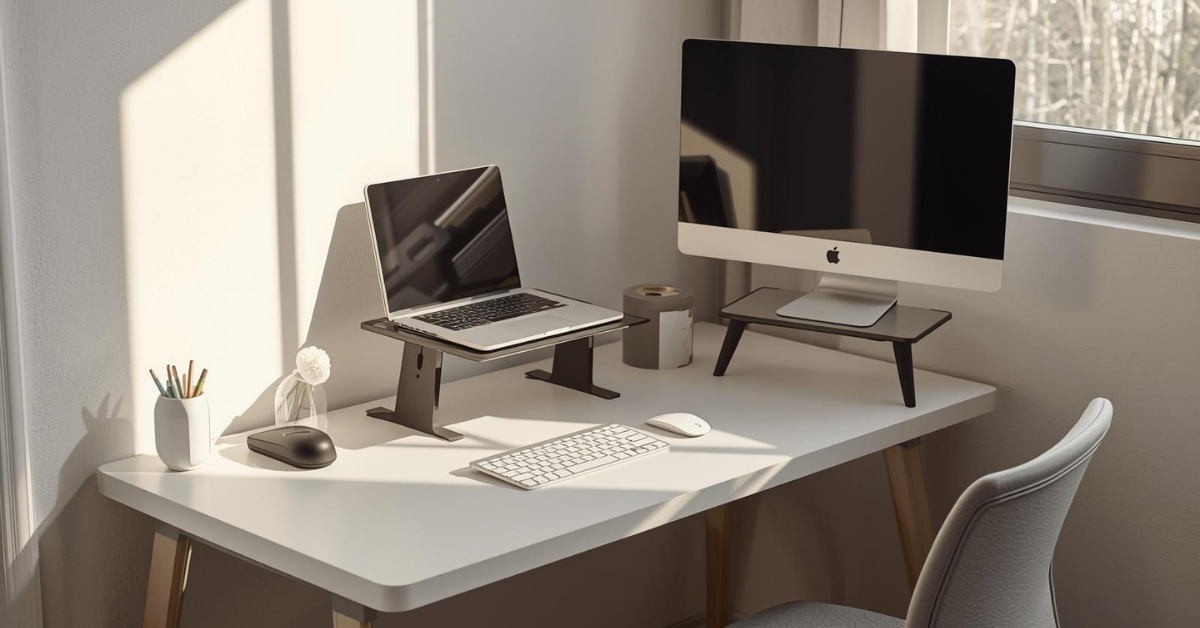
Full-sized keyboards with number pads stretch 17+ inches. That’s nearly your entire desk depth on some compact models.
Tenkeyless (TKL) keyboards drop the numpad, saving 3-4 inches. 75% layouts compress further, fitting function keys closer to the main cluster. Both maintain full typing functionality while reclaiming precious mouse space.
Mechanical switches matter for comfort too. You don’t need to bottom out keys with force, reducing finger fatigue during long sessions. Look for hot-swappable models if you want to experiment without committing.
Vertical Mouse or Compact Ergonomic Mouse
Standard mice force your forearm into pronation—palm facing down. This compresses the radius and ulna, straining wrist tendons over time.
Vertical mice rotate your grip to a handshake position, neutralizing this strain. In tight spaces, they also reduce the sweeping arm motions that knock over coffee cups. Compact ergonomic models fit smaller hands without sacrificing function.
Small changes like this make long work sessions easier.
Upgrade Your Desk, Upgrade Your Focus
A cluttered or uncomfortable desk steals your focus without you even noticing. Streamline your essentials—compact keyboard, wireless mouse, and a footrest—to create a small desk setup that actually works. These simple upgrades remove distractions at the source, making long work sessions easier and more productive.
How to Organize a Small Desk Without Clutter
Organization fails when systems require constant maintenance. The best small desk organization ideas run on autopilot, keeping essentials accessible and distractions invisible.
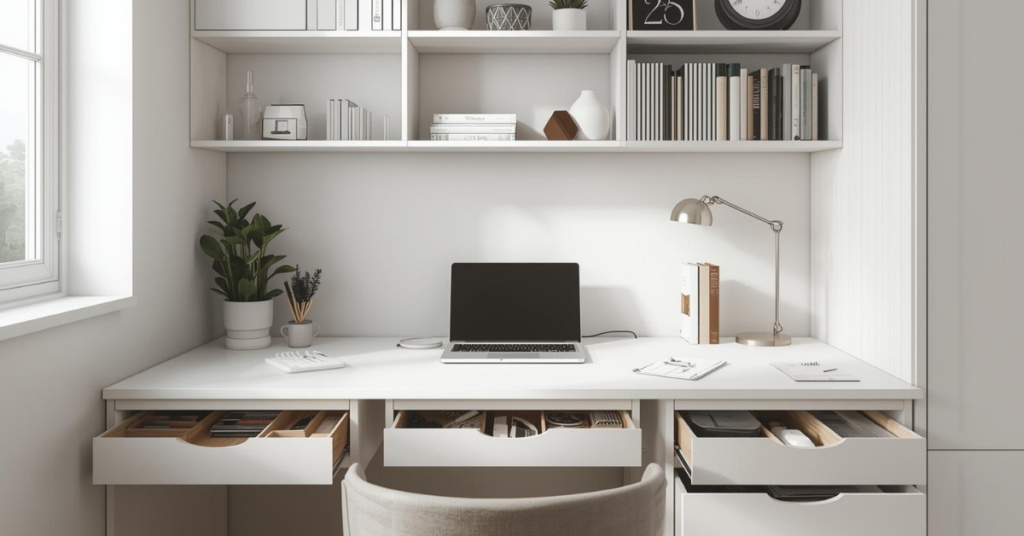
The Zone System
Divide your limited surface into three distinct areas:
Primary Zone (Directly in front): Keyboard, mouse, notepad for active tasks only. Nothing lives here permanently except input devices.
Secondary Zone (Within arm’s reach): Current project materials, water bottle, phone. Cleared at each session’s end.
Storage Zone (Peripheral): Reference books, supplies, personal items. Ideally elevated on shelves or wall mounts, not consuming surface area.
This sounds rigid, but it becomes automatic after a week. The key is treating zones as temporary real estate, not permanent assignments. Your primary zone should look nearly empty when you’re not actively working.
The “One In, One Out” Rule
For every item added to your desk, something equivalent leaves. New notebook? An old one gets archived or discarded. This prevents the gradual accumulation that suffocates small spaces.
Apply this strictly to decorative items. That small plant seems harmless until it’s joined by a photo frame, stress ball, and three novelty mugs. Curate ruthlessly.
Cable Management as Foundation, Not Afterthought
Visible cables create visual noise that makes spaces feel chaotic. In small desk setups, they also consume limited routing paths, forcing awkward device placement.
Start with these fundamentals:
- Cable tray under desk: A simple metal basket mounted to the underside corrals power strips and excess length. Your feet stop kicking loose wires.
- Velcro straps, not zip ties: Reusable adjustments matter when you swap devices. Color-code by function (power, data, peripherals).
- Wireless where possible: Modern Bluetooth keyboards, mice, and headphones eliminate two cables minimum. The reliability gap with wired has nearly closed.
Route cables along the back edge or undersides, never across your primary workspace. If you can see cables while working, your routing needs improvement.
These desk upgrades remove distractions at the source.
Struggling With Desk Clutter That Keeps Coming Back?
If your desk feels messy again a few days after organizing, you’re missing the right tools. Smart organizers and compact desk accessories are designed to keep small desks clean long-term.
See Space-Saving Desk Organization Picks
Space-Saving Desk Accessories Worth Using
The accessory market floods compact office shoppers with gimmicks. These space-saving desk accessories actually deliver utility without consuming disproportionate real estate.
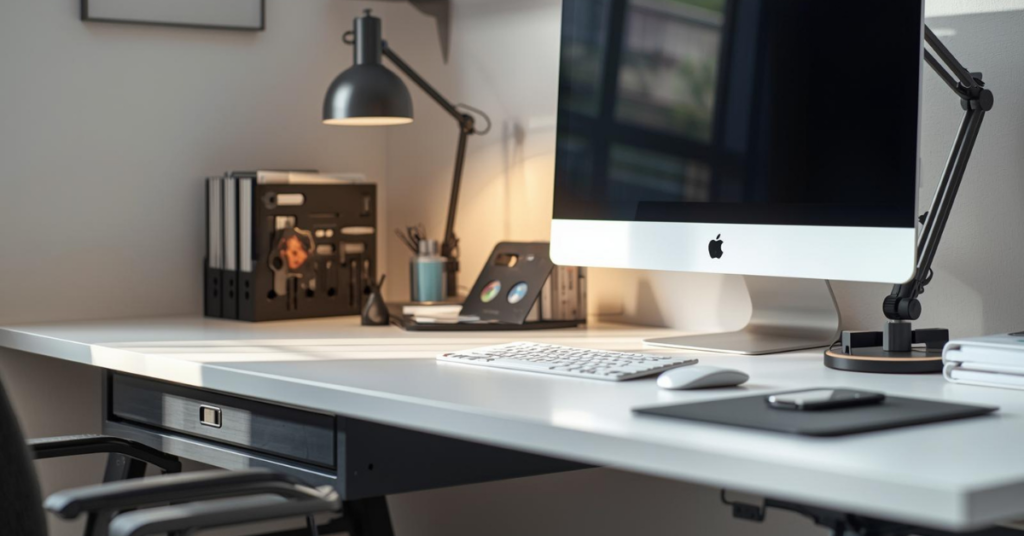
Monitor-Mounted Document Holder
Reading physical documents while typing forces constant head movement and neck rotation. A document holder mounted to your monitor stand keeps reference materials at eye level, aligned with your screen.
This eliminates the “look down, look up” cycle that strains neck muscles. It also removes the desktop document piles that creep across your workspace. Quality models clamp to monitor arms or VESA mounts, consuming zero desk surface.
Under-Desk Drawer Systems
The 4-6 inches of clearance beneath most desks is wasted space. Adhesive or clamp-mounted drawers create storage for supplies you’d otherwise stack on surface.
Best applications: charging cables, backup batteries, sticky notes, and other small items that create surface clutter. Keep weight light—heavy drawers stress mounts and sag over time.
Wall-Mounted Shelving (The Game Changer)
Small desks need to offload everything possible to vertical storage. Floating shelves above or beside your desk handle books, decor, and equipment that would otherwise consume precious inches.
Install at seated eye level for items referenced frequently. Higher placement works for storage bins and occasional-use equipment. The goal is keeping your actual desk surface nearly empty, reserved for the task at hand.
Compact Desk Lamp with Integrated Features
Task lighting matters for eye strain, but traditional desk lamps consume 6-8 inches of depth. Modern alternatives clip to monitors, attach to shelves, or clamp to desk edges.
Look for models with USB charging ports and adjustable color temperature. The integration eliminates separate charger bricks, and tunable light (warm for evening, cool for focus) supports circadian rhythms better than fixed bulbs.
Small changes like this make long work sessions easier.
Fix Your Small Desk Setup Without Buying a Bigger Desk
A cramped workspace isn’t a space problem , it’s a setup problem. The right space-saving desk accessories can instantly improve comfort, organization, and focus without changing your desk size.
View Recommended Desk Accessories
Ergonomic Tips for Comfort in Small Spaces
Tight quarters often force postural compromises. These strategies maintain ergonomic desk setup principles even when you can’t achieve “ideal” dimensions.
The 90-Degree Rule (Modified)
Standard ergonomics preaches 90-degree angles at elbows, hips, and knees. In compact spaces, prioritize two:
Elbows at 90 degrees, shoulders relaxed: This matters most for repetitive strain prevention. If your desk is too shallow, use a keyboard tray to create proper forearm support.
Feet flat, thighs parallel: If your chair won’t lower enough, use a footrest. Never work with dangling legs—it compresses the spine and reduces circulation.
Hip angle can flex slightly open (100-110 degrees) without penalty. The “perfect 90” ideal matters less than avoiding acute angles that compress joints.
Monitor Height Over Distance
When you can’t achieve optimal viewing distance (20-26 inches), prioritize height. The top of your screen should align with eye level, preventing the forward head posture that dominates modern neck pain.
Stack textbooks under your monitor if needed. Serious small desk setups deserve proper risers, but improvisation works until you commit. Just ensure the stack is stable—monitor wobble destroys concentration.
Chair Selection Becomes Critical
With limited desk space, your chair becomes your primary adjustment mechanism. You need:
- Seat depth adjustment: Prevents pressure behind knees when seated properly.
- Lumbar support: Non-negotiable for sessions exceeding two hours.
- Armrests that tuck under desk: Otherwise, you can’t pull close enough to type comfortably.
Budget ergonomic chairs ($200-400) outperform expensive “racing style” gaming chairs for actual work. The flashy aesthetic isn’t worth sacrificed adjustability.
If your desk feels cramped, this is the easiest fix: upgrade your chair to compensate for spatial constraints.
Work Longer Without Neck or Wrist Pain
Small desks often force awkward posture. Compact ergonomic accessories help align your screen, hands, and posture — even in tight spaces.
Explore Ergonomic Desk Accessories
Common Small Desk Setup Mistakes to Avoid
I’ve made most of these errors. Learn from my cramped, uncomfortable mistakes.
Buying a Desk That’s “Close Enough”
That 36-inch wide desk seems adequate until you add dual monitors. That 18-inch depth works until you realize proper monitor placement leaves no room for keyboard and mouse simultaneously.
Measure your actual equipment before purchasing. Add 6 inches to every dimension you think you need—future accessories, coffee cups, and elbow room require margin.
Over-Verticalizing Storage
Stacking organizers creates towers that topple, block sightlines, and cast shadows on your workspace. The “drawer on drawer on drawer” approach feels efficient but creates new problems.
Limit vertical storage to stable wall-mounted solutions. Keep your immediate desk surface low and open. You need to see your monitor without navigating around storage skyscrapers.
Ignoring Lighting Until Headaches Start
Small desks often fit into corners, alcoves, or against walls with poor natural light. People accept this, squinting at screens in dim conditions until eye strain becomes chronic.
Address lighting in your initial setup, not after symptoms appear. A $40 desk lamp prevents the $200 optometrist visit and lost productivity from fatigue.
Treating Organization as One-Time Event
You organize your small desk setup perfectly on Sunday. By Thursday, it’s chaos again. This cycle repeats because organization without systems fails.
Build habits, not layouts. The “clear secondary zone” rule mentioned earlier takes 90 seconds at day’s end. That investment preserves your Sunday organization through Friday.
Simple Upgrades That Make a Big Difference
You don’t need complete rebuilds to improve your small desk setup. These targeted improvements deliver disproportionate returns.
Upgrade 1: Adhesive Cable Clips ($8)
Route charging cables along desk legs and undersides instead of draping across surfaces. These tiny clips stick to any surface, creating defined pathways that prevent the “cable octopus” effect.
Install them where cables naturally want to travel. Don’t fight gravity—work with it.
Upgrade 2: Monitor Riser with Storage ($25-40)
Elevating your screen to proper height while gaining a storage compartment underneath solves two problems simultaneously. Store your keyboard here when not in use if you need the surface for other activities.
Choose risers with ventilation if storing electronics. Heat buildup degrades batteries and performance.
Upgrade 3: Magnetic Strip for Metal Accessories ($12)
Mount a magnetic knife strip (yes, kitchen supply) to your wall or desk side. It holds scissors, paper clips, USB drives, and any metal tools you’d otherwise dig through drawers to find.
Accessibility without surface consumption—the perfect small space solution.
Upgrade 4: Task-Specific Lighting ($30-60)
Replace overhead reliance with focused task lighting. Your eyes adjust less dramatically between screen brightness and document illumination. Energy consumption drops. And the defined light pool psychologically “contains” your workspace, making it feel intentionally designed rather than improvised.
Small changes like this make long work sessions easier.
Upgrade Your Desk Without Adding Clutter
Compact keyboards, wireless mice, and monitor risers are built for small desk setups. These upgrades improve workflow while freeing up valuable desk space.
Building Your Ideal Small Desk Setup: A Practical Summary
Let’s consolidate everything into actionable sequence.
Phase 1: Assessment (This Weekend)
- Measure your actual space and equipment
- Photograph your current setup from seated position
- Identify your biggest friction point (clutter? discomfort? distraction?)
Phase 2: Foundation (Next Two Weeks)
- Implement cable management
- Establish zone system
- Add one vertical storage solution
- Adjust monitor to proper height
Phase 3: Optimization (Following Month)
- Evaluate what actually gets used daily
- Remove or relocate unused items
- Add targeted accessories based on specific needs
- Refine ergonomic adjustments
The goal isn’t Instagram-worthy aesthetics. It’s a workspace that disappears during use, supporting your work without demanding attention.
These desk upgrades remove distractions at the source.
You don’t need to replace everything at once. A few affordable desk accessories can make a noticeable difference in comfort and productivity.
See Budget Desk Setup Essentials
Conclusion: Comfort Is Built, Not Bought
Here’s the truth nobody selling $2,000 “compact office solutions” wants you to hear: great small desk setups emerge from intentional choices, not expensive purchases.
The most comfortable compact workspace I’ve used cost under $300 total. It worked because every item justified its presence, every cable had a defined path, and the layout respected how I actually worked—not how I imagined working when browsing organization blogs.
Start with the fundamentals covered here. Master your cable management. Establish your zones. Position your screen properly. These cost little but transform daily experience.
Then add targeted space-saving desk accessories as specific needs emerge. Avoid the temptation to pre-buy “solutions” for problems you don’t yet have. Small spaces punish speculation.
Your desk might be limited in size, but that constraint forces clarity. You keep what matters. You eliminate what doesn’t. And you build a workspace that supports deep focus instead of constant adjustment.
If your desk feels cramped right now, pick one section from this guide and implement it this week. Small changes like this make long work sessions easier—and that’s the whole point.
Your best work doesn’t require more space. It requires better use of the space you have.
Build a Small Desk Setup That Actually Works
The best small desk setups aren’t expensive; they’re intentional. Choosing the right accessories makes your workspace more comfortable, more organized, and easier to use every day.