Simple Desk Setup Changes That Make a Big Difference
If you spend hours at your desk, working, studying, gaming, or creating content, you already know one thing: your desk setup affects everything. Your focus. Your comfort. Even your mood.
The good news? Improving your desk setup doesn’t require a full makeover, expensive furniture, or a complete room redesign. In fact, some of the most impactful changes are surprisingly simple, and affordable.
Want a cleaner, more comfortable desk today? Start with these easy setup upgrades.
This guide is written for real people, not tech experts or interior designers. Whether you’re a beginner setting up your first desk, a buyer looking to upgrade smartly, or someone who just wants a cleaner, more productive space, you’ll find practical, easy-to-apply advice here.
Let’s break it down step by step.
Contents
- 1 Why Your Desk Setup Matters More Than You Think
- 2 Start With the Basics: Declutter First
- 3 Improve Your Desk Setup Easily by Fixing Ergonomics First
- 4 Lighting: The Most Underrated Desk Upgrade
- 5 Cable Management: Small Change, Big Impact
- 6 Choose the Right Desk Accessories (Not Too Many)
- 7 Improve Comfort With Simple Add-Ons
- 8 Storage Solutions That Don’t Crowd Your Desk
- 9 Personalize Your Desk (Without Overdoing It)
- 10 Plants: Small Detail, Big Mood Boost
- 11 Improve Your Desk Setup Easily on a Budget
- 12 Desk Setup for Different Use Cases
- 13 Common Desk Setup Mistakes to Avoid
- 14 A Simple Step-by-Step Desk Setup Upgrade Plan
- 15 How Long Does It Take to See Results?
- 16 Final Thoughts: Your Desk Should Work for You
Why Your Desk Setup Matters More Than You Think
Most people underestimate how much their desk setup affects daily performance. A poor setup quietly drains energy. A good one supports you without demanding attention.
A well-thought-out desk setup can:
- Reduce back, neck, and wrist pain
- Improve focus and productivity
- Make work feel less exhausting
- Create a space you actually enjoy using
And no, you don’t need a “Pinterest-perfect” desk to get these benefits.
Start With the Basics: Declutter First
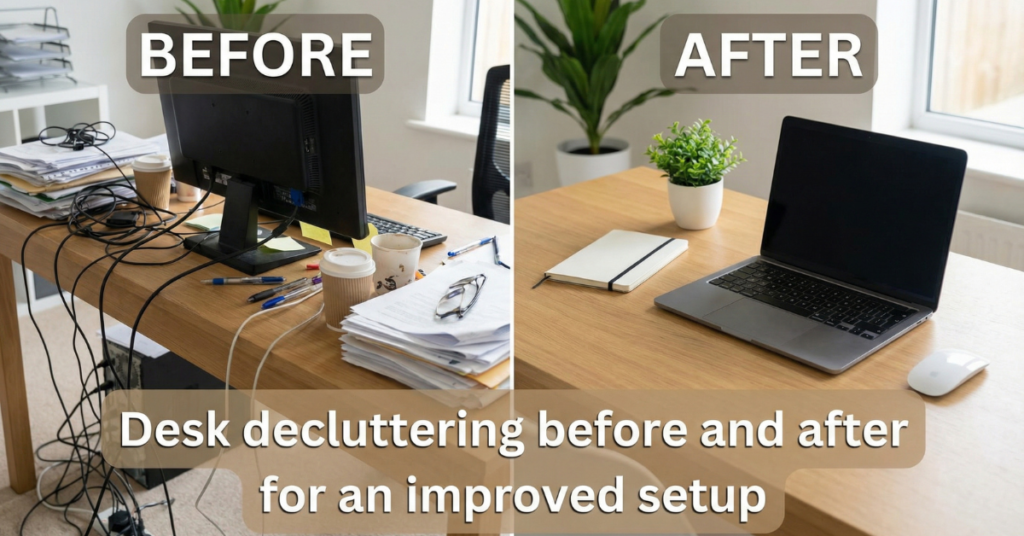
Before buying anything, clear what you already have.
This step alone can make your desk feel brand new.
How to Declutter Without Overthinking
- Remove everything from your desk surface
- Put back only what you use daily
- Store the rest in drawers, boxes, or shelves
Ask yourself a simple question:
“Do I touch this item at least once a day?”
If not, it doesn’t need to live on your desk.
A clean surface instantly improves mental clarity. It’s also the foundation of every easy desk setup improvement.
Take 5 minutes right now, clear your desk surface before reading the next section.
Improve Your Desk Setup Easily by Fixing Ergonomics First
This is where most beginners go wrong. They focus on looks before comfort.
Ergonomics isn’t complicated, and it doesn’t have to be expensive.
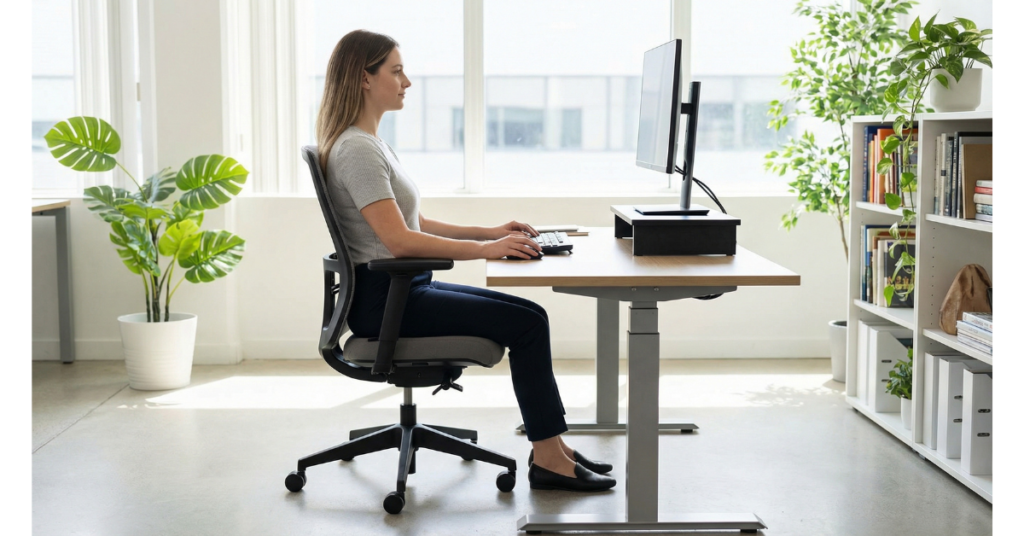
Chair Height and Posture
Your feet should rest flat on the floor. Knees at about hip level. Back supported.
If your chair doesn’t adjust:
- Use a footrest or a sturdy box
- Add a lumbar pillow or rolled towel
Small adjustments here can prevent long-term pain.
Monitor Height and Distance
Your screen should be:
- About an arm’s length away
- Top of the screen at or slightly below eye level
If your monitor sits too low, don’t buy a new one immediately.
A stack of books works just fine.
Keyboard and Mouse Position
Your arms should rest comfortably, elbows near your sides.
Avoid reaching forward constantly, it strains shoulders more than people realize.
Struggling with comfort? The right Chair and Desk Accessories make all the difference.
Lighting: The Most Underrated Desk Upgrade
Bad lighting causes eye strain, headaches, and fatigue. Good lighting quietly boosts productivity.
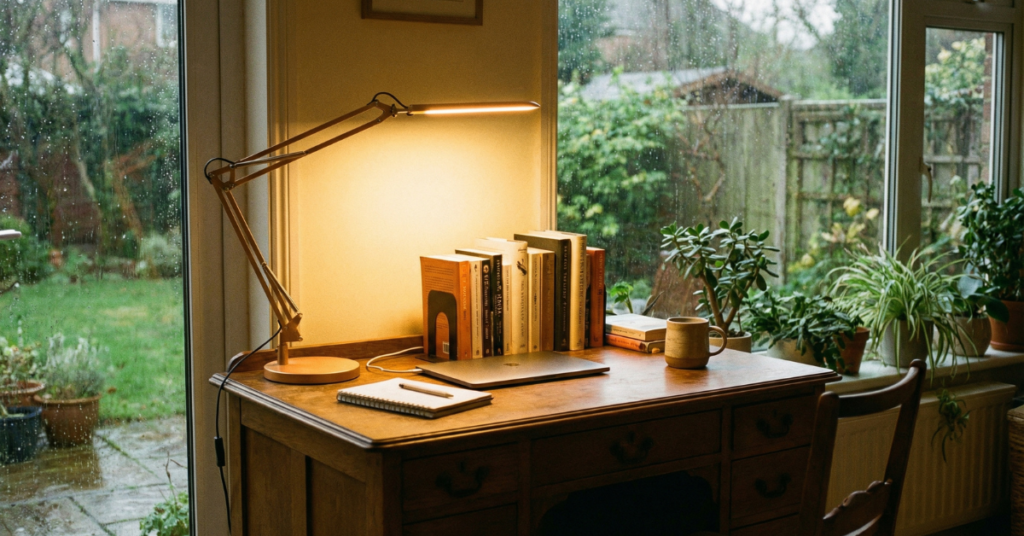
Natural Light Is Best
If possible:
- Place your desk near a window
- Let daylight hit your workspace from the side
Avoid sitting with the window directly behind or in front of your screen.
Add a Simple Desk Lamp
Look for:
- Adjustable arm
- Warm or neutral light
- Focused beam, not harsh glare
You don’t need smart lights or RGB effects. A basic LED desk lamp is often enough.
Comfort and focus start with the right Desk Accessories; choose what actually helps.
Cable Management: Small Change, Big Impact
Messy cables instantly make a desk feel chaotic—even if everything else is neat.
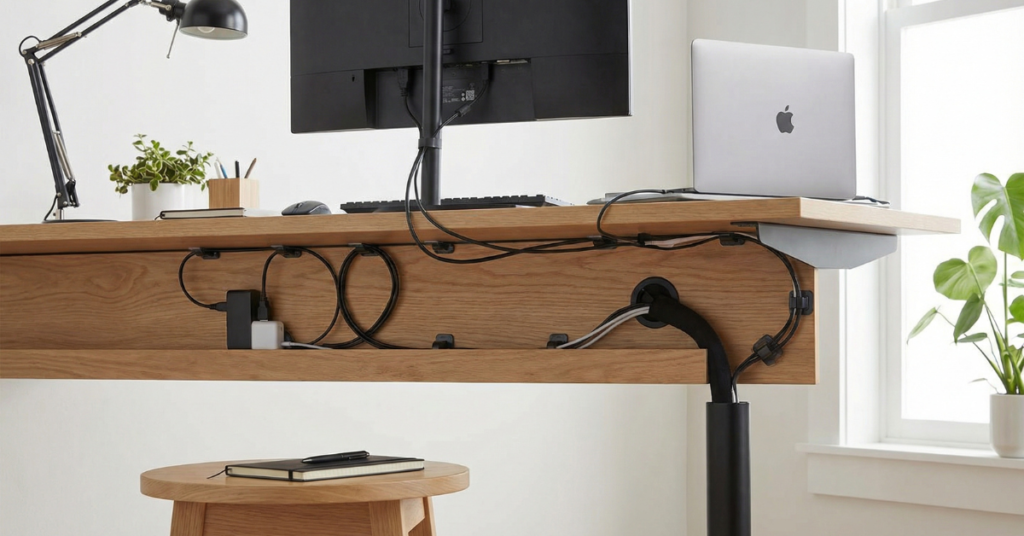
Easy Cable Fixes That Actually Work
- Use cable clips along the desk edge
- Velcro ties instead of zip ties
- Route cables behind the desk whenever possible
You don’t need a full cable tray system. Just hiding visible wires improves the look dramatically.
This is one of the fastest ways to improve your desk setup easily.
Choose the Right Desk Accessories (Not Too Many)
Accessories should support function first, aesthetics second.
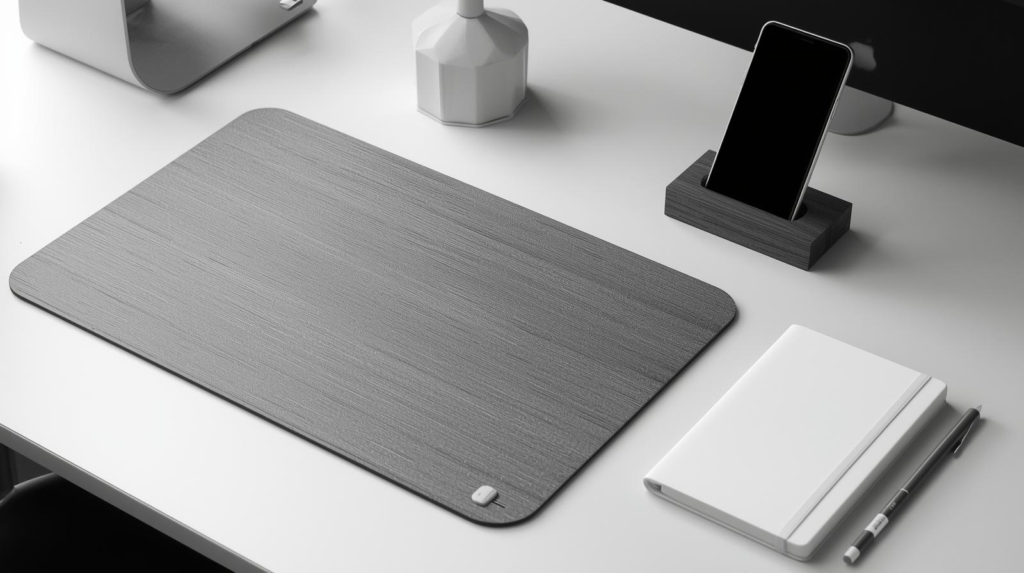
Must-Have Desk Accessories
- Desk mat (protects surface and improves comfort)
- Pen holder or small organizer
- Notebook or planner
- Phone stand (especially if you use it for work)
What to Avoid
- Too many decorative items
- Oversized organizers
- Accessories you never actually use
A desk overloaded with “useful” items often becomes less usable.
You don’t need a full makeover; start with Budget-Friendly Desk Upgrades that matter.
Improve Comfort With Simple Add-Ons
Comfort isn’t luxury—it’s productivity.
Wrist Support
If you type a lot:
- Consider a wrist rest
- Or use a desk mat with padding
This reduces pressure during long sessions.
Foot Support
If your chair is high:
- Use a footrest
- Or a sturdy box with a non-slip surface
Your lower body position affects your entire posture.
Storage Solutions That Don’t Crowd Your Desk
If your desk surface feels cramped, storage is the problem—not the desk size.
Smart Storage Ideas
- Under-desk drawers
- Vertical shelves
- Desk drawers with dividers
- Wall-mounted organizers
Vertical space is often ignored but incredibly useful.
Personalize Your Desk (Without Overdoing It)
Your desk should feel like your space—not a showroom.
Easy Personal Touches
- One framed photo
- A small plant (real or artificial)
- A simple desk clock
Limit yourself to 2–3 personal items. More than that becomes visual noise.
Plants: Small Detail, Big Mood Boost
Plants soften a workspace instantly.
If you’re not a plant person:
- Snake plant
- Pothos
- Artificial greenery
Even a small plant can make long desk sessions feel calmer.
Improve Your Desk Setup Easily on a Budget
You don’t need to spend hundreds to see real improvement.
Budget-Friendly Upgrades
- Monitor stand (or books)
- Desk lamp
- Cable clips
- Desk mat
- Ergonomic mouse
Start with comfort and lighting before aesthetics.
If you’re planning to buy upgrades, focus on items that improve daily comfort first—they deliver the highest return.
Desk Setup for Different Use Cases
For Work or Office Tasks
- Prioritize ergonomics
- Neutral colors
- Minimal distractions
For Students
- Storage for books and stationery
- Good lighting
- Clear writing space
For Gaming or Content Creation
- Monitor positioning
- Comfortable chair
- Clean cable management
Your desk setup should match how you actually use it—not how it looks online.
Common Desk Setup Mistakes to Avoid
Even experienced users fall into these traps.
- Copying setups without considering comfort
- Overdecorating
- Ignoring posture
- Buying cheap accessories that break quickly
- Placing the monitor too low
Avoiding these mistakes saves time and money.
A Simple Step-by-Step Desk Setup Upgrade Plan
If you want a clear path, follow this order:
- Declutter your desk
- Adjust chair and monitor height
- Improve lighting
- Manage cables
- Add essential accessories
- Personalize lightly
You don’t need to do everything in one day.
How Long Does It Take to See Results?
Immediately.
Most people feel a difference the same day—especially after fixing posture and lighting.
A good desk setup doesn’t shout for attention. It quietly supports you while you work.
Ready to upgrade your desk the right way? Start with the tools that improve comfort and focus.
Final Thoughts: Your Desk Should Work for You
Improving your desk setup easily is about intention, not perfection.
You don’t need trends or expensive gear. You need:
- Comfort
- Clarity
- Function
Make small changes. Test what works. Adjust over time.
If you’re planning to upgrade your desk accessories, lighting, or ergonomic tools, choose quality over quantity. The right upgrades pay for themselves in comfort and focus.
Your desk is where ideas turn into results. Treat it that way.
Eplore the full collection Here!
Still deciding? Explore more Tech Accessories tutorials and reviews, comparisons, and buying guides on our site to find the best option for you.